

 English
 Deutsch
 Español
 русский


Home · News · Industry News · Cat6a Patch Panel for Data Center: Shielded, 24/48-Port Selection Guide
Industry News
Cat6a Patch Panel for Data Center: Shielded, 24/48-Port Selection Guide
2026-10-30Content
- 1 What a Cat6a Patch Panel Does That a Cat6 Panel Cannot
- 2 Shielded or Unshielded: Match the Panel to the Cabling System
- 3 Port Count, Rack Units, and Density Planning
- 4 Termination Style: Toolless, IDC, and Installation Time
- 5 Cable Management and Bend Radius at the Rack
- 6 Sourcing, Customization, and Acceptance Checks
- 7 FAQ
A data center rack can look finished the moment the patch panels are screwed in and the cables are dressed. The problems appear later: a 10GBASE-T link that will not pass permanent link testing, a shield that is grounded at only one end, or a 48-port panel with no clearance for a cable manager. A Cat6a patch panel is not a passive accessory. It is part of the channel, and its component rating, port layout, and grounding path affect whether the installed cabling achieves the distance and noise margin the design promised. The practical answer is straightforward: specify a shielded Cat6a panel when the horizontal cable is shielded, match port count to rack density, reserve cable management space at 1U for every 24 to 48 ports, and confirm the panel is rated to 500 MHz before the first bundle is terminated.
What a Cat6a Patch Panel Does That a Cat6 Panel Cannot
Cat6a is a 500 MHz cabling category. Cat6 is rated to 250 MHz. That difference matters most for 10GBASE-T, where Cat6 supports 10 Gb/s over a limited distance and Cat6a is designed for a full 100 m channel. The patch panel sits in that channel. If the panel is Cat6-rated, the link inherits the lower ceiling no matter how good the cable is.
Two panel-level factors decide real performance:
- Insertion loss and return loss across all four pairs at 500 MHz, not just at 250 MHz.
- Alien crosstalk behavior when multiple panels and cable bundles sit side by side in a rack.
| Parameter | Cat6 panel | Cat6a panel |
|---|---|---|
| Rated frequency | 250 MHz | 500 MHz |
| 10GBASE-T channel support | Limited distance, typically up to 55 m | Up to 100 m when the full channel is compliant |
| Alien crosstalk control | Not a rated parameter for 10G | Addressed through design, spacing, and shielding |
| Component matching | Must pair with Cat6 cable and jacks | Must pair with Cat6a cable and jacks |
A Cat6a panel is not a marketing upgrade. It is the component that keeps the channel rating consistent from the rack to the outlet.
Shielded or Unshielded: Match the Panel to the Cabling System
Shielding is a system decision. A shielded Cat6a panel only helps if the horizontal cable, jacks, and patch cords are also shielded, and if the grounding path is continuous. Mixing a shielded panel with unshielded cable creates an open shield that can behave like an antenna. Mixing an unshielded panel with shielded cable breaks the drain wire path at the rack.
Use the table below as a first-pass filter, then confirm with the link budget and the facility grounding standard.
| Selection factor | Shielded Cat6a panel | Unshielded Cat6a panel |
|---|---|---|
| EMI-heavy or industrial-adjacent racks | Preferred | Higher risk |
| Grounding requirement | Continuous drain path required | Not required |
| Alien crosstalk margin | Better in dense bundles | Relies on cable design and spacing |
| Termination labor | Higher, shield must be managed | Lower |
| Typical data center use | High-density 10GBASE-T | Edge closets, short runs, clean RF environment |
For most new data center builds with 10GBASE-T over Cat6a, shielded panels are the safer default in high-density racks. In a small edge closet with clean grounding and short runs, unshielded Cat6a can be sufficient, provided every component in the channel is unshielded Cat6a.
BTBL builds both shielded and unshielded Cat6a panels, including preloaded and empty-frame versions, so the panel can match the rest of the channel. The patch panel range covers 1U, 2U, and 5U formats with 8, 12, 16, 24, and 48 ports.
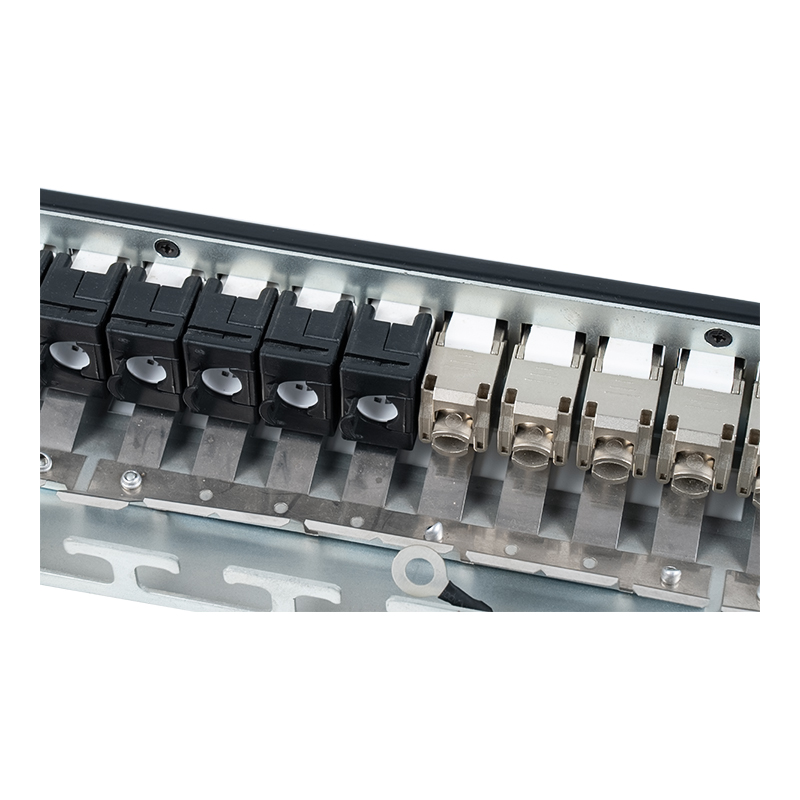 1U 24-Port Shielded Cat6A Patch PanelA 1U 24-port shielded Cat6A patch panel for 19-inch racks, with modular keystone compatibility and Krone punch-down termination for structured cabling.View Product →
Port Count, Rack Units, and Density Planning
Port count is a space and labor decision. A 1U 24-port panel is easier to terminate and test. A 1U 48-port panel doubles density but reduces finger space and increases the risk of pair separation during termination. In a data center, that trade-off shows up in two places: cable management clearance and testing time.
| Format | Ports | Typical use | Cable management note |
|---|---|---|---|
| 1U 19-inch shielded | 24 | Standard data center row | 1U manager per panel |
| 1U 19-inch shielded | 48 | High-density top-of-rack | 2U manager or brush panel recommended |
| 2U 19-inch | 48 | Mixed copper and voice | More rear clearance |
| 5U 19-inch shielded | 24 | Wall or cabinet transition | Vertical management often needed |
| 10-inch shielded | 12 | Small cabinet or edge enclosure | Compact 1U manager |
Rule of thumb: leave at least 1U of horizontal cable management for every 24 ports, and 2U for every 48 ports when the panel is fully loaded with patch cords. Labeling is not optional. Panels with removable windows, digital cards, or fliptop covers make moves adds and changes faster.
 1U Shielded 48-Port Cat6A Patch PanelA 1U shielded Cat6A patch panel for 19-inch racks, offering 48 ports, Krone IDC termination, and T568A/T568B wiring for structured cabling.View Product →
Termination Style: Toolless, IDC, and Installation Time
Cat6a conductors are thicker than Cat5e, and the pairs are more sensitive to untwist length. Two termination styles dominate:
- Toolless or tool-free modules use a hinged or flip-open mechanism. They reduce the risk of over-pressing a punchdown tool and are faster for field termination.
- Dual-purpose IDC accepts 110 or Krone tools. They suit contractors who already carry punchdown tools and want a familiar process.
For Cat6a, keep untwist under 13 mm at the termination point and maintain the pair geometry. A panel with a rear cable holder or adjustable wire diameter guide helps hold the pair separation consistent across 24 or 48 ports. Angled panels can reduce bend stress at the rear, but they change the clearance behind the rack, so check the cabinet depth before ordering.
Cable Management and Bend Radius at the Rack
Cat6a cable is stiffer and heavier than Cat5e. Without support, the weight of a full bundle pulls on the panel terminations. A horizontal cable manager with brush strips or plastic rings keeps the bundle in place and maintains bend radius. For a 48-port panel, a 2U manager is common; for 24-port panels, 1U is often enough.
Choose the manager with the rack, not after it. Brush-style managers block dust and allow cables to pass through in both directions. Ring-style managers give more open access for tracing and re-routing. In high-density racks, a 12-slot or 24-slot 1U panel with a cover keeps the front neat without hiding port labels.
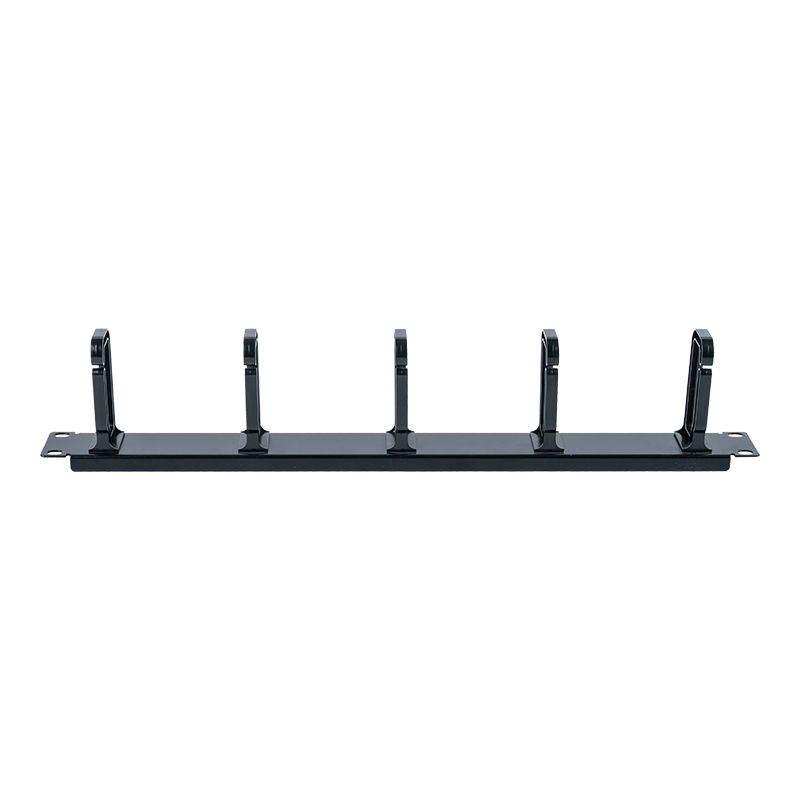 1U Rack Cable Management Panel with Five RingsA 1U ABS cable management panel for 19-inch racks, with five rings and vertical routing for organizing patch cords and cable bundles.View Product →
Sourcing, Customization, and Acceptance Checks
Panel quality is not visible in a product photo. Ask for the component rating, the test standard, and the batch consistency record. For a Cat6a panel, the relevant checks include:
- Component compliance at 500 MHz, not a channel-only claim.
- Shield continuity and grounding path on shielded models.
- Contact plating and IDC durability over repeated terminations.
- Labeling, port numbering, and color coding consistency across batches.
BTBL manufactures structured cabling hardware in Ningbo and supplies data center, office, and industrial projects through ODM and OEM programs. If the rack layout needs a specific port count, card style, or branding, the customization process covers panel format, labeling, and packaging. Confirm the sample panel and the production panel use the same tooling and rating before the bulk order ships.
FAQ
Can I use a Cat6a patch panel with Cat6 cable?
Yes, but the channel is limited by the Cat6 cable. The panel will not raise the performance of a Cat6 link. Match the panel to the cable category to keep the rating consistent.
Do I need shielded Cat6a panels in every data center?
No. Shielded panels are the safer choice where alien crosstalk, EMI, or long 10GBASE-T runs are concerns. Unshielded Cat6a can work in clean, low-density installations when the entire channel is unshielded.
How many ports should I plan per rack unit?
24 ports per 1U is easier to terminate and manage. 48 ports per 1U is denser but requires more cable management and careful termination discipline. Reserve 1U of management for every 24 ports as a baseline.
What is the most common installation mistake?
Mixing shielded and unshielded components, exceeding the bend radius at the rear of the panel, and leaving no slack for re-termination. Each of these can turn a passing channel into a failing one after the rack is closed.
Contact Us
Your email address will not be published. Required field are marked*


-
 No. 588, Xiaolin Avenue, Xiaolin Town, Cixi City, Zhejiang Province
-
 [email protected]
-
 +86-574-63507962
-
 +86-15988643730
Copyright Ningbo Betterbell Telecommunication Equipment Co., Ltd. All rights reserved. Structured Cabling Solutions Manufacturer Network Cabling Products Supplier
