

 English
 Deutsch
 Español
 русский

Home · News · Industry News · What Is a Network Cabling?
Industry News
What Is a Network Cabling?
2026-02-06Content
- 1 What Is a Network Cable and What Does It Do?
- 2
- 3 Types of Computer Network Cables
- 4 Types of Networking Cable Connectors
- 5
- 6 The Role of Shielding in Network Cables
- 7
- 8 Networking Cables and Connectors
- 9
- 10 What Does Basic Cable Include in Network Cabling?
- 11
- 12 Network Wiring Installation Best Practices
- 13
- 14 How to Choose the Right Network Cable
- 15 Structured Cabling Manufacturer Overview
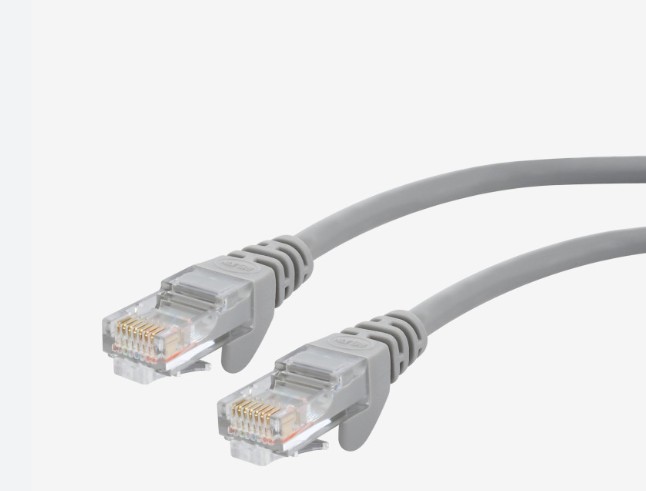
Network cabling is the physical system of network wires, internet cables, and connectors that enables data communication between devices. It forms the backbone of modern networking by linking computers, switches, routers, servers, and internet access points through reliable wired connections.
Network cabling refers to the physical infrastructure that connects various devices in a network, enabling them to communicate with each other. It provides the necessary medium for transmitting data and internet signals between computers, routers, switches, and other network devices.
In simpler terms, network cabling acts as the bloodstream of a network, ensuring smooth and continuous data flow. Common types of network cables include Ethernet cables such as Cat5e, Cat6, and Cat7, which vary in terms of speed, capacity, and shielding.
In practical terms, when users ask what is a network cable or what does a network cable do, the answer is straightforward: network cabling provides a stable, high-speed path for data transmission that wireless networks alone cannot fully replace.
 |
 |
What Is a Network Cable and What Does It Do?
A network cable, also known as a networking cable or internet cable, is a physical medium used to transfer data signals between networked devices. In networking, cables are preferred for tasks that require consistent speed, low latency, and minimal interference.
Core Functions of a Network Wire
- Transmit data packets between local devices
- Connect internal networks to external internet services
- Support voice, video, and data traffic simultaneously
Compared with wireless connections, properly installed network cabling can deliver up to 10× more stable throughput in high-density office or data center environments.
Types of Network Cables
There are several types of network cables, each designed to serve specific needs depending on network speed, distance, and interference protection. Here are the most common types:
- Cat5e (Category 5 Enhanced) – Suitable for speeds up to 1Gbps, mostly used in older systems.
- Cat6 (Category 6) – Supports speeds up to 10Gbps over short distances, offering better performance than Cat5e.
- Cat6a (Augmented Category 6) – Enhanced version of Cat6, capable of handling higher speeds over longer distances.
- Cat7 (Category 7) – Designed for high-speed, interference-resistant networking, supporting speeds up to 10Gbps over long distances.
- Cat8 (Category 8) – The latest standard for ultra-fast speeds, ideal for data centers, offering speeds up to 25Gbps or 40Gbps.
Types of Computer Network Cables
Different networking cable types are designed for specific distances, bandwidths, and installation environments. Choosing the correct internet cable type is critical for network performance and future scalability.
| Cable Category | Bandwidth | Typical Application |
|---|---|---|
| Cat5e | 100 MHz | Basic office and home networks |
| Cat6 / Cat6A | 250–500 MHz | Enterprise networks and server rooms |
| Fiber Optic | Terabit-level | Backbone and long-distance transmission |
Types of Networking Cable Connectors
To establish a reliable network, it's crucial to choose the right connectors. These connectors provide secure, stable links between cables and devices. The most common connectors include:
- RJ45 Connectors – Most commonly used for Ethernet cabling, RJ45 connectors can be found in network cables like Cat5e, Cat6, and Cat7.
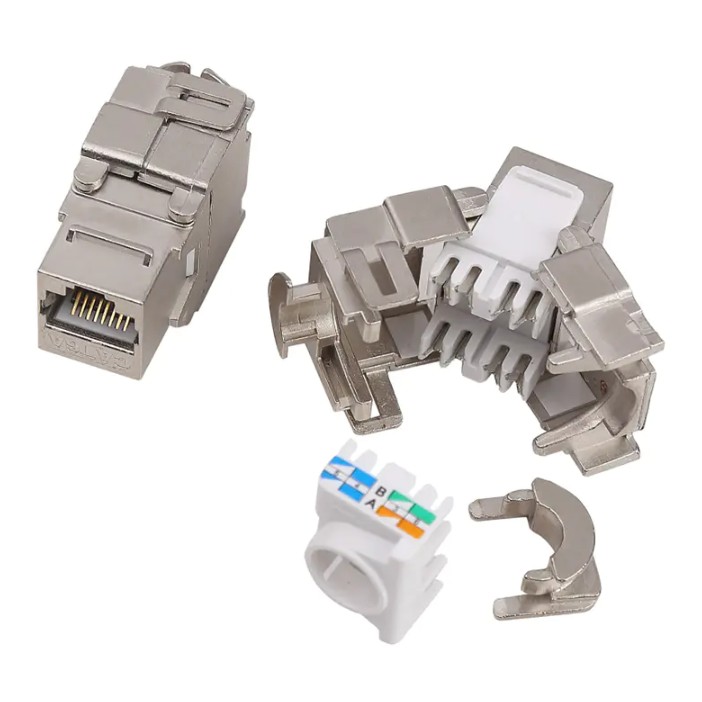
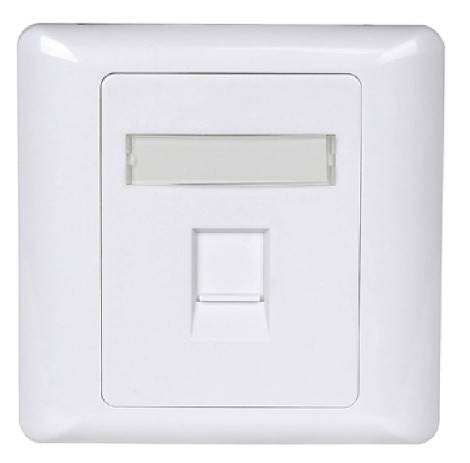
- Keystone Jacks – These are modular connectors used in wall plates, often found in office or home networking setups.
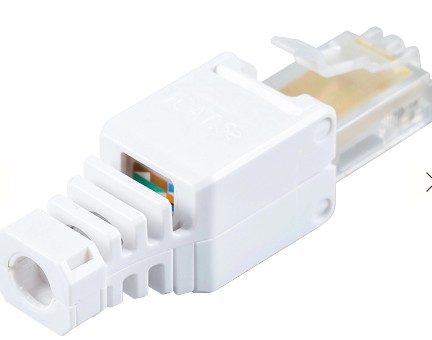
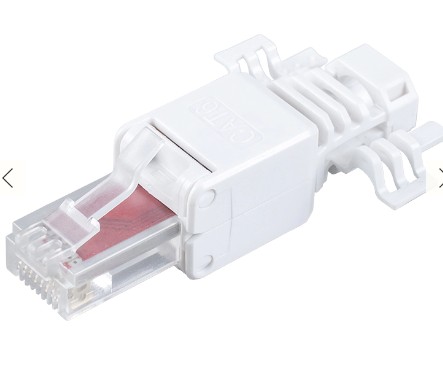
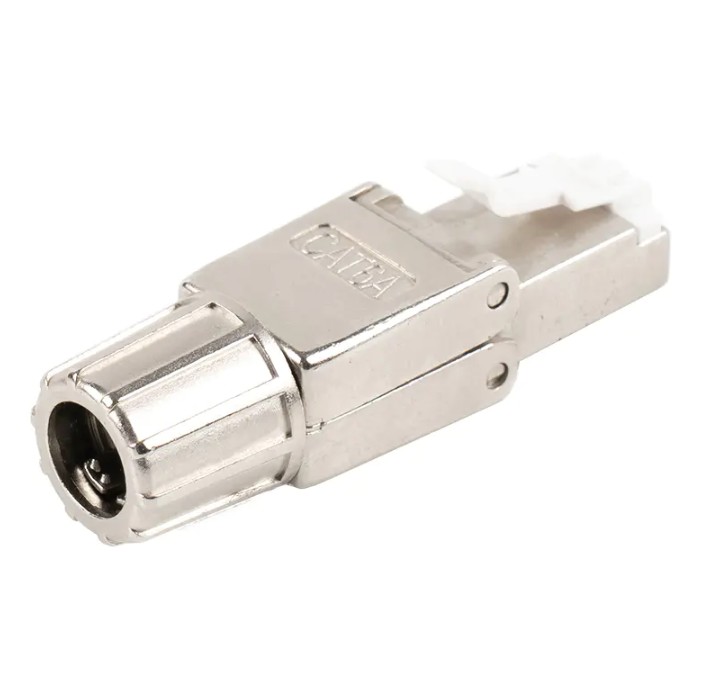
- Toolless RJ45 Plugs – These connectors allow for quick and easy cable termination without the need for crimping tools, making installation simpler.
The Role of Shielding in Network Cables
Shielding in network cables plays a crucial role in protecting the data transmitted over the wires from interference caused by external sources like electrical equipment or other cables. Shielded cables (e.g., Cat6a, Cat7) are equipped with an extra layer of protection, making them ideal for environments with high electromagnetic interference (EMI).
Unshielded cables (e.g., Cat5e, Cat6) are typically cheaper and easier to install but are more susceptible to interference. On the other hand, shielded cables provide better protection and are essential in industrial or commercial networks where stable and high-performance data transmission is crucial.
Networking Cables and Connectors
Networking cables and connectors must be matched correctly to avoid signal loss. Even high-quality network wire can underperform if connectors are poorly terminated.
Common Connector Components
- RJ45 plugs for Ethernet cable termination
- Keystone jacks for wall outlets and patch panels
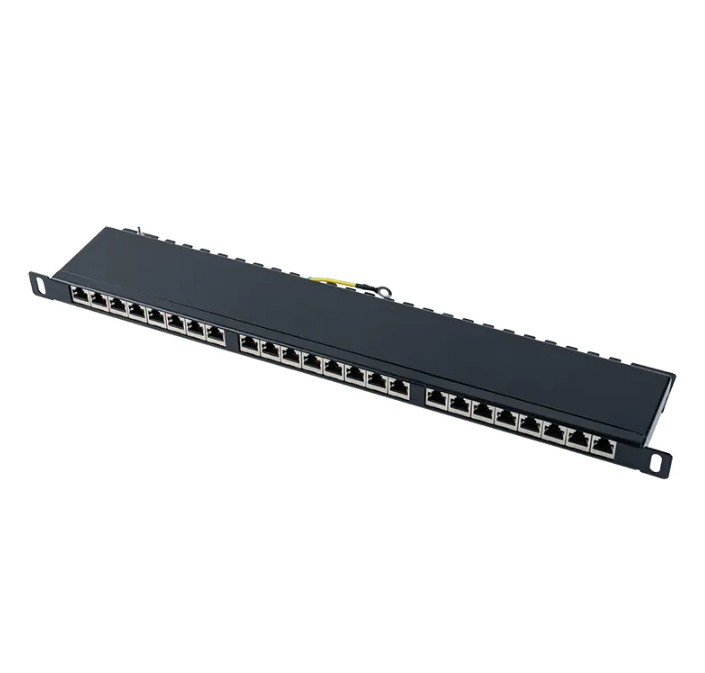
- Patch panels for centralized network cabling management
Toolless connectors are increasingly popular because they reduce installation errors and shorten deployment time by up to 50%.
What Does Basic Cable Include in Network Cabling?
In networking contexts, what does basic cable include refers to the essential cabling components required to establish a functional wired network.
- Horizontal and backbone network cables
- Connectors, keystone jacks, and faceplates
- Patch cords and cable management accessories
- Grounding and labeling materials
These components together form a standardized network cabling system that supports easy maintenance and future expansion.
Network Wiring Installation Best Practices
Professional network wiring installation follows structured cabling standards such as TIA/EIA to ensure long-term performance and reliability.
Installation Guidelines
- Avoid sharp bends and excessive pulling force
- Keep data cables away from electrical interference
- Test and certify all network cableing after installation
Properly planned network wiring can reduce downtime by over 40% during upgrades or fault diagnosis.
How to Choose the Right Network Cable
Choosing the right network cable depends on several factors including the network speed requirements, the distance over which the cable will run, and the potential for electrical interference. Here's a quick guide:
- For basic home networking and internet access: Cat5e or Cat6 cables will suffice.
- For office environments requiring higher speeds: Cat6a or Cat7 cables should be considered.
- For high-performance data centers or long-distance connections: Cat8 cables are the ideal choice due to their superior speed and shielding.
Installation Tips for Network Cabling
Avoid running cables near large electrical equipment or power lines to prevent signal interference.
Keep cable runs as short as possible to reduce the potential for signal degradation.
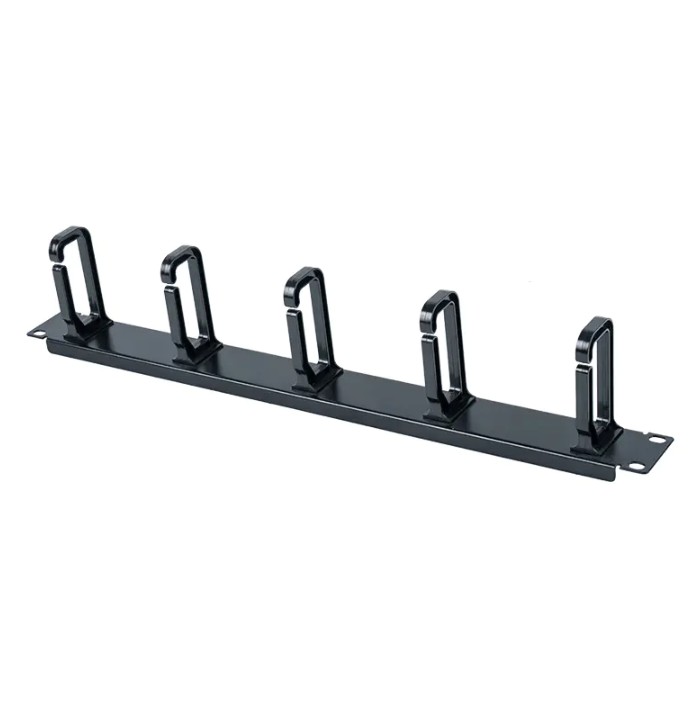
Use cable organizers or conduits to avoid tangled or damaged cables.
Ensure that the cable connectors (e.g., RJ45, Keystone jacks) are securely attached to both the cable and the device.
Common Network Cabling Issues and How to Fix Them
Network cabling can sometimes face issues that affect performance. Below are some common problems and their solutions:
- Poor performance due to cable damage: Inspect cables for any visible damage and replace them if necessary.
- Slow internet speeds: Ensure you are using the correct cable type for the required speed and check for any interference sources nearby.
- Connection drops: Check for loose connectors or poor cable termination and ensure all cables are properly connected.
Structured Cabling Manufacturer Overview

Ningbo Betterbell Telecommunication Equipment Co., Ltd. (BTBL), founded in 2002 and based in Ningbo, China, is a professional LAN cabling hardware supplier and network installation products company.
BTBL focuses on R&D and manufacturing of structured cabling solutions, including Toolless Plugs, Keystone Jacks, and Patch Panels, widely applied in data centers, office networks, and industrial communications worldwide.
Contact Us
Your email address will not be published. Required field are marked*


-
 No. 588, Xiaolin Avenue, Xiaolin Town, Cixi City, Zhejiang Province
-
 [email protected]
-
 +86-574-63507962
-
 +86-15988643730
Copyright Ningbo Betterbell Telecommunication Equipment Co., Ltd. All rights reserved. Structured Cabling Solutions Manufacturer Network Cabling Products Supplier
