

 English
 Deutsch
 Español
 русский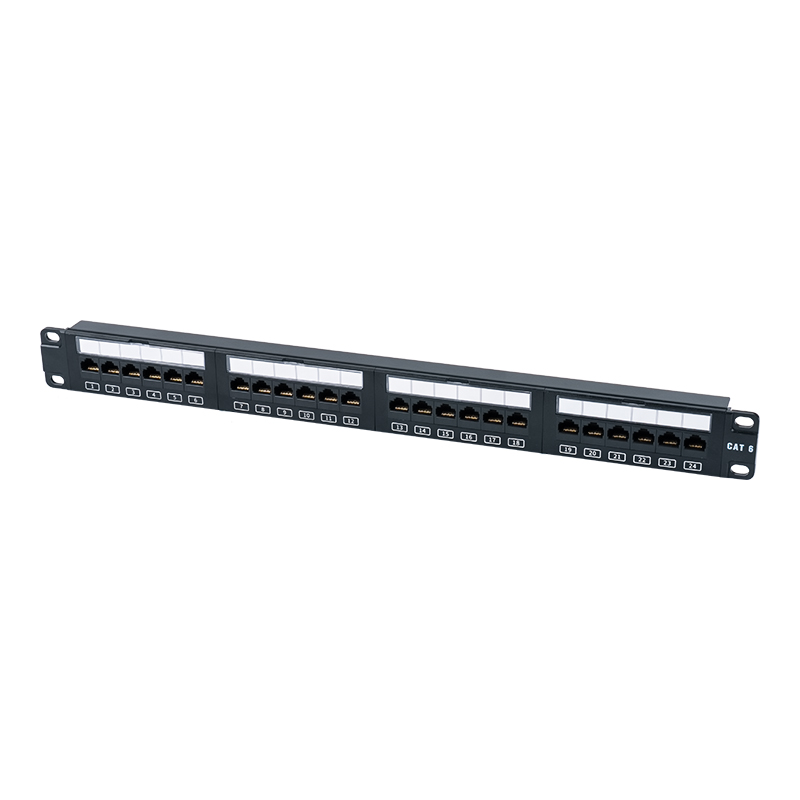






A Patch Panel Is Your Network’s Centralized Control Point A patch panel functions as a static, centralized termination point that organizes, protects, and simplifies your structured cabling infrastructure. Instead of running long horizontal cables directly to active switches (which risks damage and creates chaos), all cables t...
Read More

Home · Products
Custom Network Installation Products Company
Product Series
Product Category
LAN Cabling Hardware Supplier
-
C6 19-inch 1U Unshielded 24-Port Patch Panel (Flip-top Plastic Window) SP-3411D24-C6
-
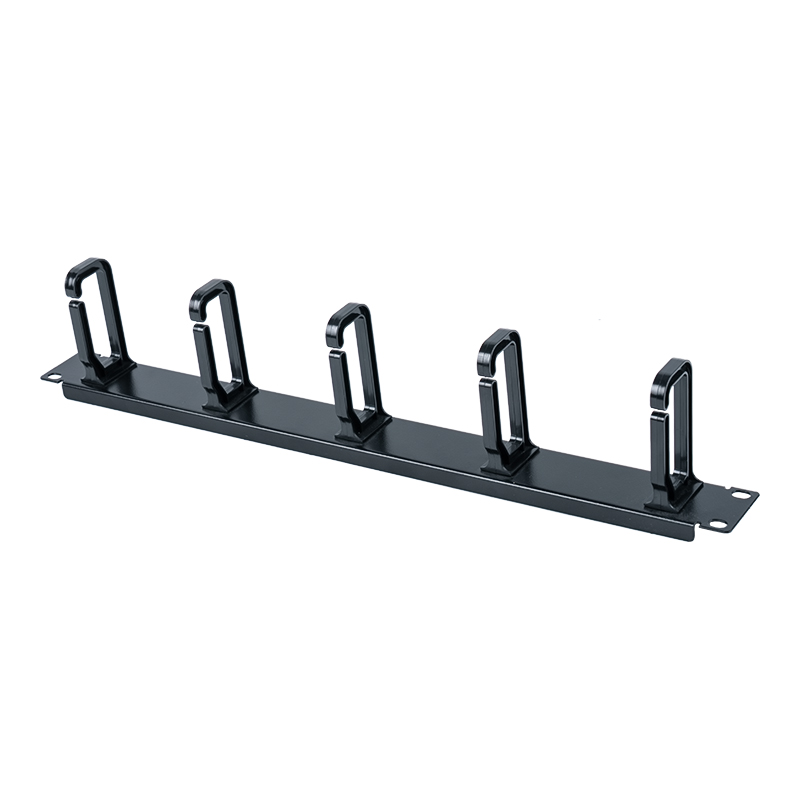
19-inch 1U Plastic Cable Management Panel (with 5 Plastic Rings) SP-3801-1U
-
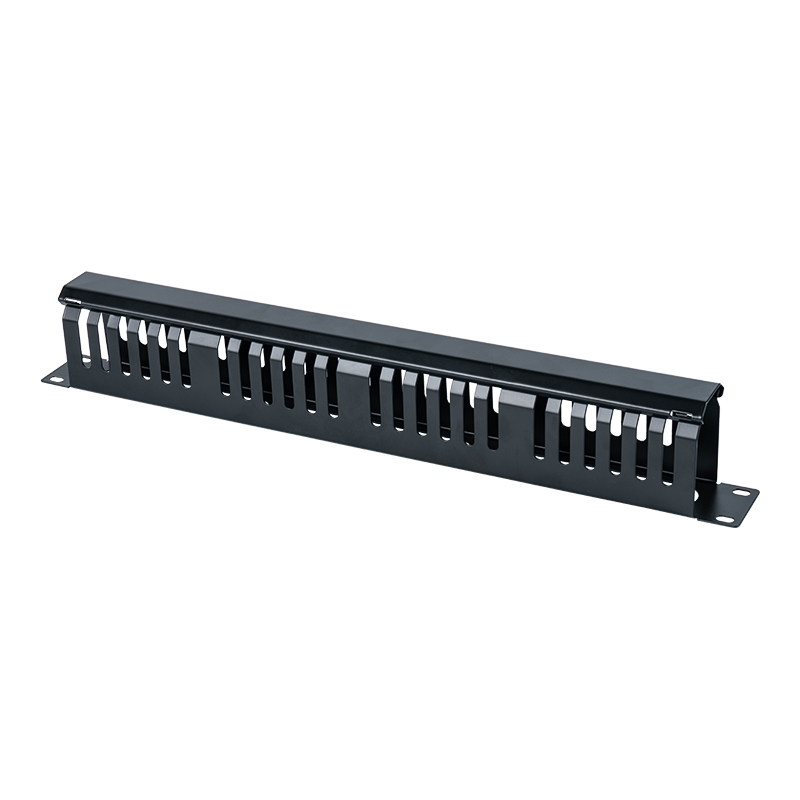
19-inch 1U Plastic Cable Management Panel (24 Slots with Cover) SP-3802-1U
-
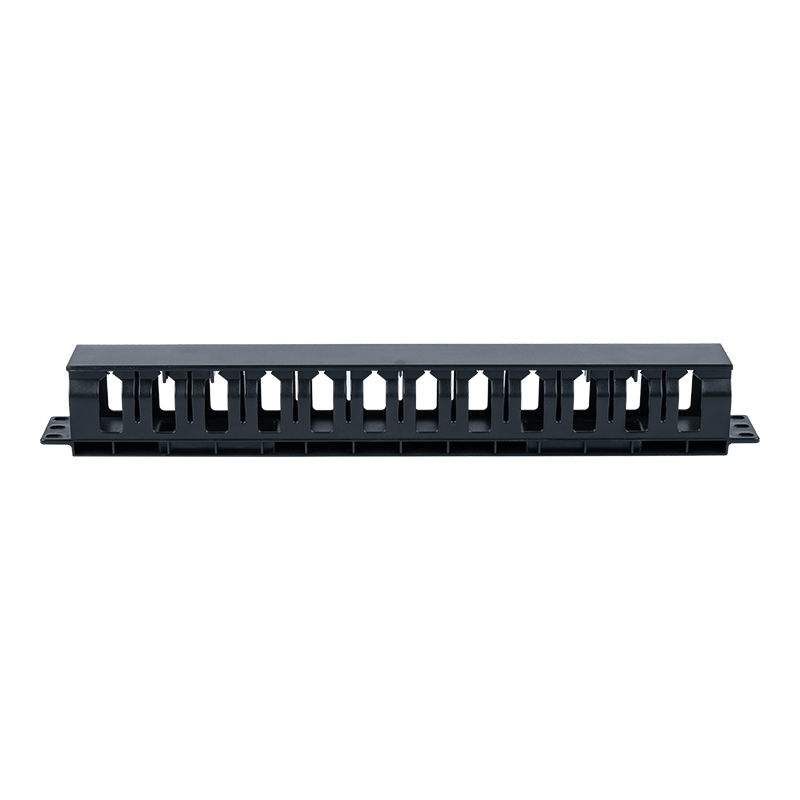
19-inch 1U Plastic Cable Management Panel (12 Slots with Cover) SP-3803-1U
-
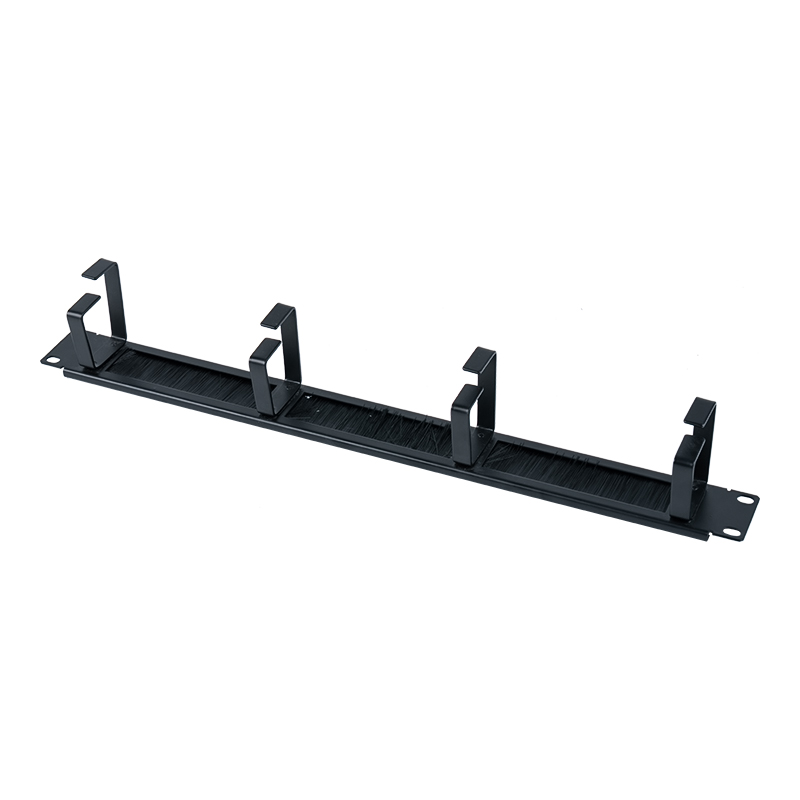
19-inch 4-Ring Plastic Cable Management Panel (with Brush) SP-3804-1U
Message Feedback
About Us

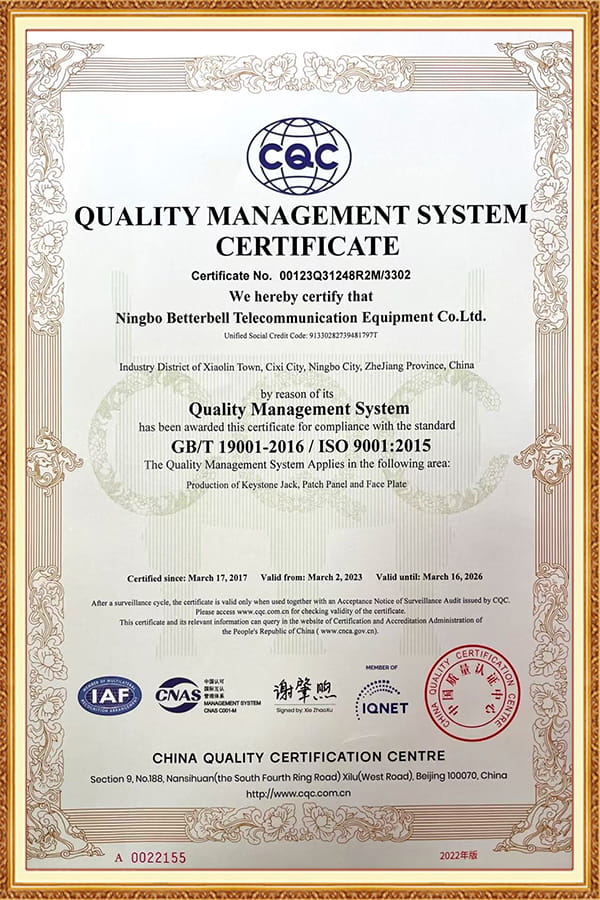
Ningbo Betterbell Telecommunication Equipment Co., Ltd.
Ningbo Betterbell Telecommunication Equipment Co., Ltd. (BTBL), founded in 2002 and located in Ningbo, China, enjoys convenient transportation, with close proximity to Ningbo and Shanghai seaports as well as major airports. We LAN Cabling Hardware Supplier and Network Installation Products Company, specialize in the R&D and manufacturing of structured cabling products, with core offerings including Toolless Plugs, Keystone Jacks, and Patch Panels, widely applied in data centers, office networks, and industrial communications. BTBL holds independent intellectual property rights and import/export licenses, and is committed to delivering high-quality, high-performance connectivity solutions to customers worldwide.
Certificate Of Honor
News
-
-
What is the Difference? A Patch Panel is a passive hardware unit that organizes and manages cable terminations, primarily within a single rack or enclosure, enabling flexible connections between devices. An Intermediate Distribution Frame (IDF) is a complete distribution point or room that houses multiple patch panels, switche...
Read More -
The Direct Answer: A Face Plate Is Your Network's Termination Point The primary function of a face plate is to serve as the clean, secure, and organized termination point for low-voltage cabling (like Ethernet, coaxial, or audio cables) on a wall or surface. Using it correctly means housing female connectors—such as keystone ja...
Read More
Products Industry Knowledge
What are the typical steps involved in network installation product installation services?
Network Installation Product Installation Service Steps
Network installation product installation services typically follow a rigorous engineering process to ensure network system stability and high performance. The core installation steps are as follows:
1. Site Survey and Needs Analysis
Environmental Assessment: Technicians first conduct an on-site survey of the server room or surrounding environment to assess rack space, cabling paths, and existing infrastructure conditions.
Needs Confirmation: Communicate with the client to confirm network bandwidth requirements, equipment layout, and future expansion plans, and develop a detailed network architecture design.
2. Structured Cabling Design and Pre-cabining
Design Standards: Plan fiber optic and twisted-pair cable paths, patch cord lengths, and port assignments according to international standards such as TIA/EIA-568 or ISO/IEC 11801.
Pre-cabining: Lay cables in walls, floors, or conduits, leaving sufficient slack length (typically 10%-30%) for later connections.
3. Connection and Terminal Installation
Install Patch Panels and Keystone Jacks: Connect the backbone cabling of the structured cabling system to the patch panels and install the keystone jacks in the wall panels or patch panels.
Connect Patch Cables: Use Cat6/7 patch cables to horizontally distribute the patch panels to network switches, routers, or servers, completing the network topology connection.
4. Testing and Verification
Link Testing: Use professional testing equipment (such as Fluke or Ideal) to test continuity, winding, return loss, and crosstalk to ensure all connections meet standards.
Network Performance Verification: Verify that network bandwidth and latency meet design requirements through actual data transmission tests (such as Ping and FTP tests).
| Installation Step | Core Content and Execution Points |
| Site Survey and Planning | Conduct a site survey of the data center, assess rack space, power layout, and environmental conditions, and develop a detailed wiring and equipment installation plan. |
| Rack Installation and Patch Panel Layout | Install standard 19-inch racks, allocate sufficient vertical space, install Patch Panels, and perform vertical distribution. |
| Cable Laying and Port Identification | Lay backbone and horizontal cables, use cable management tools to keep cables tidy, and complete port numbering and labeling. |
| Testing, Verification, and Handover | Perform continuity, pairing, return loss, and other tests on each patch cord using professional test equipment, ensuring the network performance meets standards. |
How to handle thermal management issues for LAN Cabling Hardware (such as Patch Panels) in the cabinet?
Thermal Management Solutions for LAN Cabling Hardware (such as Patch Panels) in Server Racks
While Patch Panels are passive devices, they can obstruct airflow in high-density cabling environments (especially data centers), leading to increased internal rack temperatures. Here are some effective thermal management strategies:
1. Airflow Management and Blanking Panels
Blanking Panel Installation: Install 19-inch blanking panels in unused spaces within the rack (such as the sides or rear of the rack) to block cool airflow into unused areas, ensuring cool air flows directly to active network equipment.
Positive/Negative Pressure Control: Utilize front-to-rear or side-to-side airflow designs, using baffles to guide cool air in from the front and out from the rear of the equipment, preventing hot air from flowing back to the Patch Panel.
2. Efficient Cooling Structures
Vent Panels: Install V-shaped rack panels or vent panels on the sides or back of the Patch Panel, utilizing the heat dissipation properties of metal to enhance natural convection or auxiliary fan cooling.
Thermal Management Accessories: Install high-performance rack fans and air filters at the top or bottom of the rack to help quickly expel heat and prevent overheating.
3. Cabling Optimization and Equipment Distribution
Optimize Cable Density: Avoid excessive cable accumulation behind the patch panel. Use cable managers to secure cables externally to reduce airflow obstruction inside the rack.
Zoned Cooling: Divide the rack into "hot" and "cold" zones. Place patch panels in areas with lower cooling requirements, or use dedicated "thermal outlet" modules to guide hot airflow.
| Thermal Management Aspect | Specific Solution Strategies |
| Airflow Optimization (Blanking Panels) | Install blanking panels in unused spaces within the rack to block cold air from flowing into ineffective areas, ensuring that cool air directly passes over active network equipment. |
| Ventilation Design (Vent Panels) | Install vent panels on the sides or back of the Patch Panel, or use rack panels with V-shaped ventilation designs to enhance natural convection and fan cooling. |
| Cable Management and Zoning | Use cable management tools to secure cables outside the rack, avoiding cable stacking that blocks airflow; zone the rack into “hot” and “cold” areas, placing the Patch Panel in a location with lower cooling requirements. |
What are the features of Betterbell's Patch Panels and Keystone Jacks?
Ningbo Betterbell's Patch Panels and Keystone Jacks: Features
As a professional supplier specializing in Network Installation Products and LAN Cabling Hardware, Ningbo Betterbell Telecommunication Equipment Co., Ltd. possesses significant competitive advantages in product design and quality control.
1. High-Density and Space-Saving Patch Panels
1U High-Density Design: Betterbell's Patch Panels feature a standard 1U (1.75-inch) height design, saving valuable vertical space in standard 19-inch racks and enabling high-density port layouts.
High Versatility: Compatible with various twisted-pair cables including Cat5e, Cat6, and Cat6a, supporting both back-mount and wall-mount installation methods, suitable for MDF (Main Distribution Frame) and IDF (Integrated
Distribution Frame) environments.
2. Industrial-Grade Durability and Reliability
Rugged Housing: Constructed from metals (such as zinc alloy) or high-temperature thermoplastics, offering exceptional impact and corrosion resistance to withstand harsh industrial environments.
High-Performance Contacts: Utilizes gold-plated phosphor bronze contact pins, providing low insertion loss and high return loss to ensure signal integrity and stability.
3. Intelligent and User-Friendly Design
Color Coding System: Patch Panels and Keystone Jacks offer a variety of color options, including black, white, and blue, allowing administrators to quickly identify different network uses (e.g., data, voice, or video).
Easy Terminal Connection: Designed with TIA/EIA compliant pluggable interfaces, supporting both T568A and T568B cabling standards. Combined with a professional punchdown tool, cabling can be completed quickly, significantly
improving installation efficiency.
| Product Feature | Detailed Description |
| High-Density Design (Patch Panels) | Adopt a 1U high-density standard design, saving vertical space in standard 19-inch racks, compatible with various specifications such as Cat5e, Cat6, and Cat6a. |
| Industrial-Grade Durability | Use metal or high-temperature thermoplastic materials with high impact resistance and corrosion resistance, suitable for industrial environments; employ gold-plated phosphor bronze contact pins for low insertion loss and high return loss. |
| Smart and User-Friendly Design | Offer multiple color options (black, white, blue, etc.) for easy visual identification of different network uses; equipped with punch-down tools that meet TIA/EIA standards, supporting both T568A and T568B wiring standards, making installation and maintenance more convenient. |
Frequently Asked Questions (FAQ)
Q1:What are the main functions of network installation products?
A:They are primarily used to establish the physical connection between computers and the network, manage data flow (such as assigning IP addresses through switches), and ensure network reliability and security.
Q2:What grade of network cable (Cat5e/Cat6/Cat7) should be used for LAN cabling?
A:This depends on your network requirements. For example, if you need to support high-speed networks above 1Gbps or PoE power supply, it is recommended to use Cat6 or Cat6A; while Cat5e typically only guarantees up to 1Gbps.
Q3:What does Ningbo Betterbell Communication Equipment Co., Ltd. do?
A:This company, located in Ningbo, primarily manufactures and sells communication equipment, with a particular focus on photovoltaic junction boxes and related electrical connection equipment.
Q4:What are Betterbell's products mainly used in?
A:They are primarily used in photovoltaic power generation systems to connect solar panels and inverters, ensuring safe current transmission and overall system protection.
Looking for the Reliable & Professional
Partner with the Best BTBL.
Contact Us
-
 No. 588, Xiaolin Avenue, Xiaolin Town, Cixi City, Zhejiang Province
-
 [email protected]
-
 +86-574-63507962
-
 +86-15988643730
QUICK LINKS
Copyright Ningbo Betterbell Telecommunication Equipment Co., Ltd. All rights reserved. LAN Cabling Hardware Supplier
